

Publish from Inventory
List existing products with web names, images, categories, brands and SEO details, without a second product catalogue.
Commercial · E-commerce
Run your online store from the ERP: publish products with live prices and stock, and receive cart and checkout orders in Sales. Your online store, run from the same products, prices, stock and sales orders as the rest of the business.
It is an online store run from Prospiro ERP. Products come from Inventory, prices from your sales price lists and availability from the warehouse locations you choose. Orders from the cart and checkout arrive in Sales.
In the product
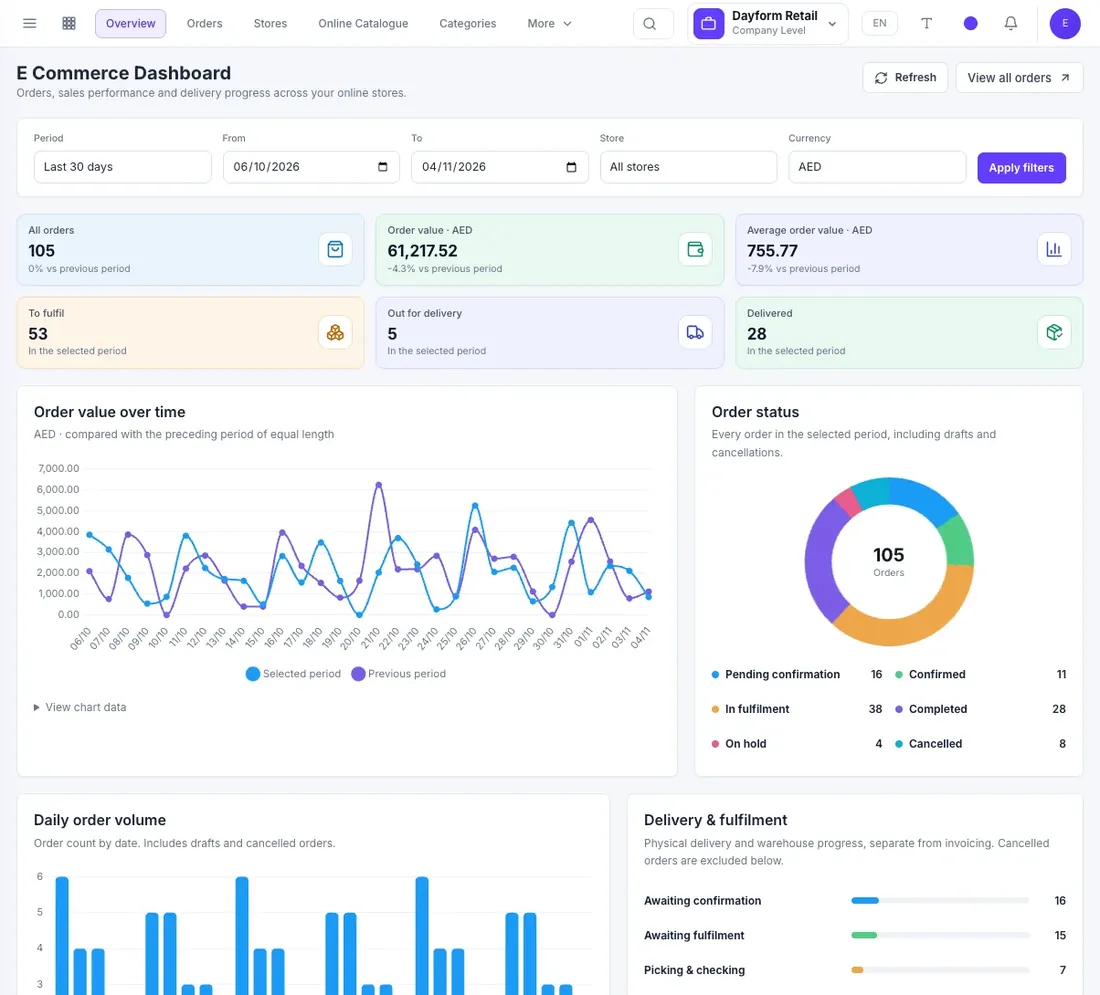
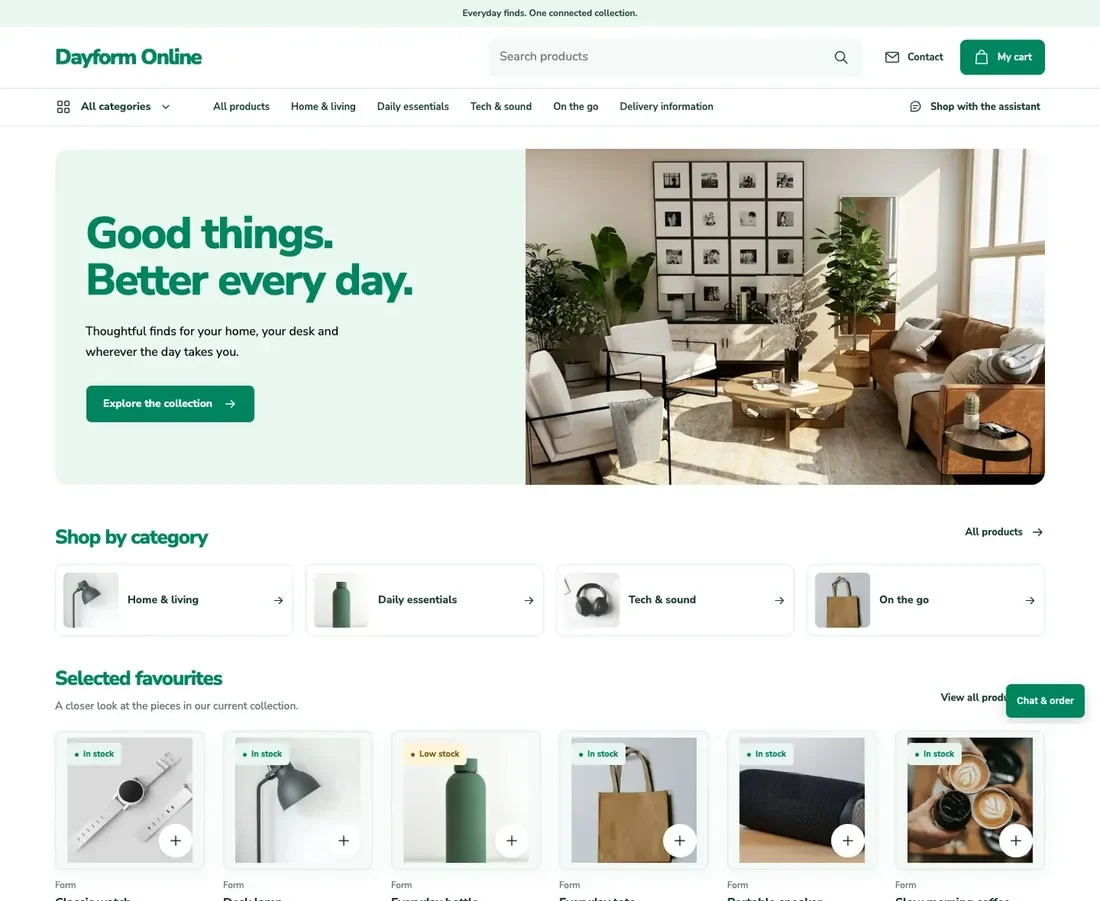
Real Prospiro screens with sample data.
What it does
List existing products with web names, images, categories, brands and SEO details, without a second product catalogue.
Show configured prices, units and availability from the locations each store sells from.
Cart and checkout create draft sales orders that your team confirms and fulfils.
Manage banners, sections, pop-ups and content pages, with scheduling and per-language publishing.
How it works
Publish products and content to the store.
Customers add to the cart and check out.
Your team confirms the order in Sales and fulfils it.
Features
21 named features across the areas below.
Configure each store for a company or branch.
Publish products from Inventory without duplicating them.
Manage the storefront content from the ERP.
Turn a basket into a sales order for your team.
Follow online orders from one dashboard.
Worked example
What happens to an online order, and where your team sees it.
| Step | Where it happens | What your team sees |
|---|---|---|
| Customer adds products to the cart | Storefront | Live prices, promotions, tax and totals |
| Customer verifies their email and checks out | Storefront checkout | Contact details, delivery address and consent |
| The order is captured | Sales | A draft sales order linked to the store |
| Your team confirms and fulfils it | Sales, Inventory and Logistics | Availability, delivery and the customer invoice |
What you get
A published online catalogue with live prices and availability
Draft sales orders from cart and checkout
A store order dashboard with exception lists
Customer order emails and their delivery history
Solutions
Works with
Track stock by warehouse and location, with package-aware movements, traceability and valuation.
Open moduleSupport your commercial terms with price lists, promotion rules and free-goods handling.
Open moduleConnect quotations and orders with pricing, delivery, invoicing and customer credit controls.
Open moduleBring invoices, bills, vouchers, journals, tax, reconciliation and financial reporting together.
Open moduleIt is an online store run from Prospiro ERP. Products come from Inventory, prices from your sales price lists and availability from the warehouse locations you choose. Orders from the cart and checkout arrive in Sales.
No. Store listings point to your existing Inventory products. You add web names, descriptions, images, categories and SEO details, while stock, cost and price stay in the ERP.
Checkout creates a draft sales order. Your team reviews it in Sales, confirms availability and delivery, and fulfils it through the normal sales process.
Yes. Each store reads available stock from the locations you select. You can show the exact quantity or a status such as in stock or low stock, set a low-stock threshold and hide products until they are restocked.
Yes. Banners, product sections, announcement bars, pop-ups and content pages are managed in the ERP, with scheduling, mobile images and SEO fields for each page.
Book a demo
Tell us what you sell, stock and deliver. We plan the session around the modules you need, in English or Arabic.
Prefer email? info@prospiro.ai
Book a demo
A session with our team in English or Arabic, planned around the modules you need.
Prospiro products
Your request is with our team. We will contact you soon to plan your demo around your modules and the way you work.